In the world of gaming, having the right gear can make all the difference. One of the most crucial components of any serious gamer’s setup is the gaming PC. Building your own gaming PC not only allows for customization to meet your specific needs but can also be a rewarding experience. In this guide, we will explore the essential components of a gaming PC, how to choose them, and tips for building your own system.
Understanding the Core Components
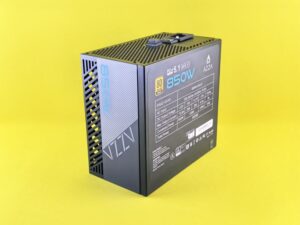
The first step in building a gaming PC is understanding the core components that make up the system. The most important parts include the CPU, GPU, RAM, motherboard, storage, and power supply. Each of these components plays a vital role in the overall performance of your gaming rig.
The CPU, or Central Processing Unit, is often referred to as the brain of the computer. It processes instructions and manages tasks. When selecting a CPU, consider the number of cores and threads, as well as the clock speed. A powerful CPU can significantly enhance gaming performance.
The GPU, or Graphics Processing Unit, is crucial for rendering graphics in games. A high-quality GPU will allow for smoother framerates and better graphics quality. Brands like NVIDIA and AMD offer a range of GPUs that cater to different budgets and performance needs.
Choosing the Right Components
When it comes to choosing components, compatibility is key. Make sure that the CPU is compatible with the motherboard you select. Additionally, consider the size of the GPU and ensure that it fits in your case. Power supply units (PSUs) also need to be powerful enough to support your build.
Another important factor is RAM. For gaming, 16GB of RAM is generally considered the sweet spot. However, if you’re planning to multitask or run demanding applications alongside your games, you might want to consider 32GB.
Storage options have evolved significantly over the years. Solid State Drives (SSDs) offer faster load times compared to traditional Hard Disk Drives (HDDs). A combination of both can provide ample storage and improved performance.
The Building Process
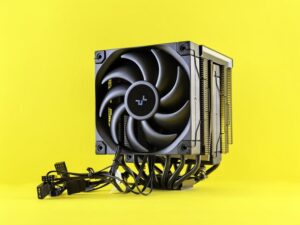
Once you’ve selected your components, it’s time to start building. Begin by preparing your case, ensuring that all necessary cables are available. Install the CPU on the motherboard, followed by the RAM and the cooler. Make sure to follow the manufacturer’s instructions for thermal paste application.
Next, you will need to install the motherboard into the case and connect the PSU. Be mindful of cable management to ensure proper airflow and aesthetics. Once everything is connected, it’s time to install the GPU and any additional storage devices.
Before powering on your new gaming PC, double-check all connections and ensure there are no loose cables. Once you’re confident, turn it on and enter the BIOS to make sure all components are recognized.
Optimizing Performance
After successfully building your gaming PC, optimizing its performance is the next step. This includes installing the latest drivers for your GPU and ensuring your operating system is up to date. Additionally, consider tweaking your system settings to maximize performance based on your gaming needs.
Overclocking is also an option for those looking to push their components further. However, this should be done with caution, as it can lead to overheating if not managed properly. Make sure to monitor temperatures and stability.
Using tools such as gaming PC builder can help you analyze your build for compatibility and performance, providing valuable insights on potential upgrades in the future.
Conclusion
Building your own gaming PC is a fulfilling journey that allows for customization and performance optimization. By understanding the components, choosing wisely, and following the building process meticulously, you can create a system that meets your gaming needs and preferences. Remember, the gaming landscape is continually evolving, so stay updated on the latest technologies and trends to keep your rig performing at its best.