In the world of gaming, having a powerful and efficient gaming PC is crucial for an immersive experience. Whether you’re a casual gamer or a competitive player, building your own gaming PC can offer unparalleled performance and customization options. This guide will take you through the essential steps of building a gaming PC, helping you make informed decisions on components and assembly.
Understanding Your Needs
Before diving into the technical specifications, it’s important to assess your gaming needs. What type of games do you play? Are you interested in high-resolution graphics or quick frame rates? Understanding your gaming style will help you choose the right components. For instance, if you enjoy playing graphically intensive games, investing in a high-end graphics card will be vital.
Additionally, consider how often you upgrade your system. If you’re the type of gamer who likes to keep up with the latest technology, opting for modular components can facilitate easier upgrades. This way, you can replace individual parts rather than rebuilding the entire system, saving both time and money.
Choosing the Right Components
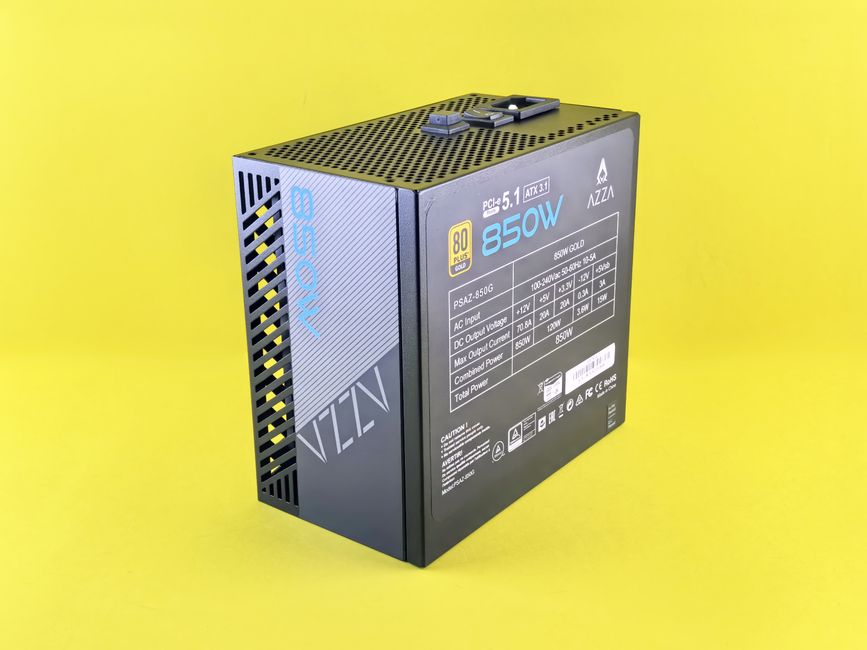
Once you’ve determined your gaming needs, the next step is selecting the right components for your build. The key components include the CPU, GPU, motherboard, RAM, storage, and power supply unit (PSU).
The CPU, or central processing unit, is the brain of your gaming PC. It’s important to choose a CPU that can handle your gaming demands. For most gamers, a multi-core processor from Intel or AMD will suffice. The GPU, or graphics processing unit, is equally important, as it significantly impacts gaming performance. A powerful GPU can make a noticeable difference in frame rates and visual quality.
Don’t forget about the motherboard, which connects all components. Choose a motherboard that is compatible with your CPU and offers the necessary ports and slots for future upgrades. Lastly, consider your storage options—SSD for speed and HDD for capacity. A combination of both can provide a good balance of performance and storage space.
Assembling Your Gaming PC
With all your components in hand, it’s time to assemble your gaming PC. Start by preparing your workspace and gathering the necessary tools, such as a screwdriver and anti-static wrist strap. This will help you avoid damaging your components during the assembly process.
Begin by installing the CPU and RAM onto the motherboard before placing it in the case. Then, mount the power supply and connect the necessary cables to the motherboard and components. Lastly, install the GPU and any storage devices. Make sure to follow the manuals provided with each component for proper installation.
Once everything is assembled, double-check all connections and power on your system. If done correctly, your gaming PC should boot up without issues. If you encounter problems, refer to troubleshooting guides or forums for assistance.
Optimizing Performance
After successfully building your gaming PC, the next step is to optimize its performance. This includes updating drivers, adjusting settings, and potentially overclocking components for better performance.
Ensure that your graphics drivers are up to date, as manufacturers frequently release updates to improve performance and fix bugs. Tweaking in-game settings to match your hardware capabilities can also enhance your gaming experience. For example, lowering certain graphical settings can lead to higher frame rates without compromising overall quality.
For those looking to push their system even further, consider overclocking your CPU or GPU. This process involves increasing the clock speed beyond the manufacturer’s specifications, which can lead to significant performance gains. However, proceed with caution, as overclocking can lead to overheating and possible damage if not done correctly.
Maintenance and Future Upgrades
Maintaining your gaming PC is essential for longevity and performance. Regularly clean the components to prevent dust buildup, which can cause overheating. Additionally, monitor temperatures and performance metrics to ensure everything runs smoothly.
As technology advances, you may want to upgrade specific components to keep up with the latest gaming trends. The beauty of building your own gaming PC is the ability to customize and upgrade as needed. Whether it’s adding more RAM, swapping out the GPU for a newer model, or upgrading your storage, having a modular system allows for easy enhancements.
Lastly, consider joining online communities and forums where you can share your experiences as a gaming PC builder and learn from others. These platforms can offer valuable insights and tips for your future builds.
Conclusion
Building your own gaming PC can be an incredibly rewarding experience. It not only allows you to customize your gaming setup according to your specific needs but also provides an opportunity to learn about technology and hardware. From understanding your gaming demands to selecting the right components and optimizing performance, each step contributes to creating a powerful machine that enhances your gaming experience. With careful planning and execution, you can build a gaming PC that will serve you well for years to come.